

Gone are the days when a full photography kit was necessary to effectively market products and services. Gone are the days when a full photography kit was necessary to effectively market products and services. Lucky for the entrepreneur in all of us, your smartphone can most likely do anything a high end kit can do, with just as much precision and quality and in 2026, that gap has closed even further. The latest iPhone models now ship with 48 megapixel Fusion sensors, computational tools like Smart HDR 5 and the Photonic Engine, and on device AI that used to require a professional editing suite.
For a small business owner managing a website, social channels, and product catalog, that shift matters. HubSpot’s 2026 State of Marketing Report found that nearly 75% of marketers now use AI assisted tools for image and video creation. The report also found that expanding from text based to visual content ranked among the most effective content strategies brands used last year. In other words, visuals aren’t a nice to have on your website anymore, they’re one of the primary levers driving engagement and conversion.
For a small business owner managing a website, social channels, and product catalog, that shift matters. HubSpot’s 2026 State of Marketing Report found that nearly 75% of marketers now use AI assisted tools for image and video creation.
The report also found that expanding from text based to visual content ranked among the most effective content strategies brands used last year. In other words, visuals aren’t a nice to have on your website anymore; they’re one of the primary levers driving engagement and conversion. Back in May, Apple released a how to website for iPhone photography tips. The company’s tutorials were tailored to the capabilities of the newest iPhone model at the time, which had photography settings and features that surpassed other models, including its “Portrait” mode and larger pixel count.
Today, that same playbook has evolved dramatically. The current iPhone 17 lineup, including the standard iPhone 17, iPhone Air, iPhone 17 Pro and Pro Max, and the budget friendly iPhone 17e, all ship with 48MP Fusion rear cameras. Apple’s newest “next generation portraits” feature means you no longer need to select Portrait mode before you shoot. The phone automatically detects a person or pet, captures depth data in the background, and lets you toggle the blurred bokeh effect on or off after the fact. It’s a meaningful upgrade for business owners who need to move fast and can’t always plan the perfect shot in advance.
But regardless of which iPhone or other smartphone model you’re carrying around in your pocket, a few tried and true photography rules still apply to taking the best shots for your website, and each one now has a modern equivalent worth knowing.
Rule of Thirds
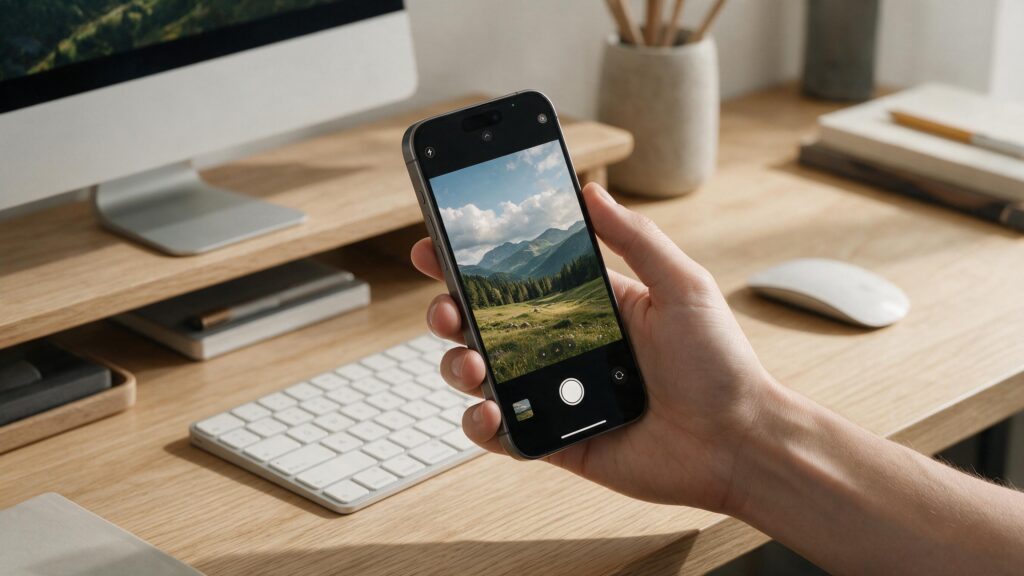
Rewind all the way back to your first middle school photography class. Remember the Rule of Thirds? If you don’t, all you need to do is turn the grid function on in your smartphone’s camera app. The grid lines split your phone screen into nine equal squares, and the four intersections in the middle serve as landmarks for where your photo subjects should be. Of course, if you’re shooting for symmetry, you can use the lines to center your subjects as well, but in general, the most dynamic photos follow this “Rule of Thirds.”
That fundamental composition rule hasn’t changed in 2026, but the tools surrounding it have. Every current iPhone camera app still includes the same nine square grid under Settings, Camera, Grid, and it remains the fastest way to train your eye without buying a single accessory. What’s new is how much help the camera now gives you once composition is set.
The iPhone 17 and 17 Pro’s 18 megapixel Center Stage front camera can automatically expand its field of view and rotate from portrait to landscape when more people step into a group shot, effectively adjusting the frame for you in real time. This proves useful for team photos or behind the scenes content for your “About Us” page. On the rear camera, the 48MP Fusion sensor gives you enough resolution headroom to shoot wide and crop to a stronger Rule of Thirds composition afterward without losing meaningful sharpness. For websites that rely on product shots, this flexibility gives you a useful option to keep in your back pocket.
Avoid Mid, Day Lighting
There’s a reason dusk and dawn are called the Golden Hours. When light hits subjects at an angle, it tends to produce more spectacular, visually engaging photos than when the sun is directly above us at lunchtime hours. Overhead sunlight is the least flattering for any human subject and often washes out subjects with lighter skin tones. These rules of light also apply to non-human subjects, since light from an angle will usually reveal the full range of color in the object you’re trying to capture.
The physics hasn’t changed: angled light will always flatter a subject more than flat overhead sun. However, modern computational photography can now rescue harsh lighting conditions much more effectively. Smart HDR 5, available across the current iPhone 17 lineup, now recognizes each individual person in a frame and optimizes contrast, lighting, and even skin tone separately for every subject, rather than applying one blanket exposure setting to the whole scene. Combined with the Photonic Engine, which blends a high resolution shot with a low light optimized version of the same frame, midday shadows and blown out highlights are far more recoverable than they were even two iPhone generations ago. That said, this is a safety net, not a replacement for good lighting discipline.
If you’re shooting product photography, staff headshots, or storefront exteriors for your website, scheduling the shoot for the hour after sunrise or before sunset will still consistently outperform anything software can fix after the fact and it costs nothing but a slightly earlier alarm.
Natural Light, Artificial Light
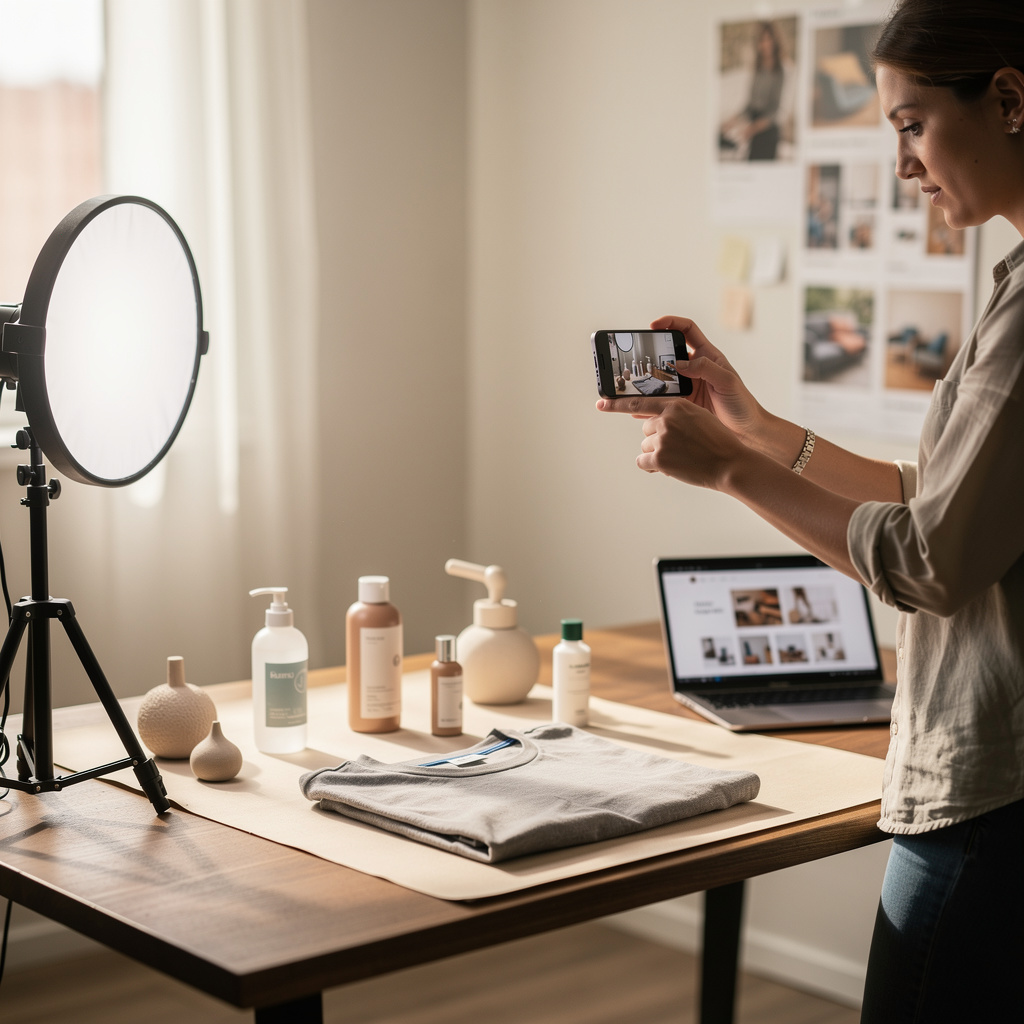
Natural lighting will always be preferred compared to a fluorescent bulb because of the light’s temperature. If you’re able to invest in a light kit, the very best setup for shooting a subject indoors is to find a natural light source and then train the artificial light on your subject from the opposite side to fill any shadows the natural light may have produced. If your light kit can be adjusted for light temperature, do your best to match the color flooding in through the window for the most natural effects.
This principle remains just as true today, and the modern gear that supports it has gotten both cheaper and smarter. Portable LED panels with adjustable Kelvin temperature and high CRI ratings are now widely available at small business friendly prices, letting you dial in a fill light that matches the window light in your space almost exactly, rather than eyeballing it. On the software side, Apple’s Portrait Lighting feature now works on both front and rear cameras across the iPhone 17 family. It lets you apply studio style lighting effects computationally after taking the photo. This feature complements a well placed physical fill light, but it cannot fully replace one.
If your business regularly shoots indoors, consider real estate interiors, product flat lays, or studio portraits for a team page. Pairing a $30-$80 adjustable LED panel with natural window light remains the highest ROI lighting setup for a small business in 2026. Industry data supports this approach directly. Professional or professional style photography can increase inquiry and booking rates by roughly 25-35% in fields such as real estate and hospitality. In these industries, lighting quality creates one of the biggest visible differences between listings.
NoFilter
With all the available photo editing options out there, it’s easy to fall back on the classic adjustments for color saturation, brightness, and contrast. But the best photos are the ones that need the least editing, so it’s best to become familiar with how to avoid overexposure in your iPhone shots. The best way to do this is to tap your subject before taking the photo. This will usually brighten them up a bit unless a light source is right behind them. In that case, tap the light source to see if changing where the camera’s searching for light will change how your photo turns out. Smartphone cameras automatically adjust their exposure settings, but at least you can adjust yourself to avoid back lit subjects and dark silhouettes in your photos.
That tap to expose habit is still the single most useful in camera skill you can learn, and it works exactly the same way on every current iPhone. What has changed is what happens after you tap. Apple’s Photographic Styles feature, standard across the iPhone 17 lineup, with a new “Bright” style introduced alongside it, applies color and tone adjustments live in the viewfinder before you even press the shutter, rather than as a filter slapped on top of the image afterward.
That distinction matters for a NoFilter ethos: because the adjustment happens during capture rather than in post, the underlying image data is preserved more naturally than a traditional Instagram style filter would allow. Combined with Deep Fusion for texture detail and the Photonic Engine for dynamic range, the out of camera JPEG or HEIC from a current iPhone typically needs minimal correction to look publish ready.
The practical takeaway for a business website hasn’t changed at all, though: get the exposure right at the moment of capture, tap your subject, tap a bright light source if it’s fighting you, and let the sensor do the rest. You’ll spend far less time in editing software trying to rescue a bad shot.
Risks, Challenges & Future Outlook
A few things are worth watching as smartphone photography keeps evolving. First, the rise of on device AI editing raises a genuine authenticity question for business websites. Customers increasingly value real, unedited product and team photos over polished images that may have undergone AI editing. So, consider being transparent about how much editing your website visuals received.
Second, image search and AI powered discovery tools increasingly pull and summarize visual content directly into their answers, which means image file naming, descriptive alt text, and structured data around your photos now carry real SEO weight, a low effort win many small business sites still miss. Third, as smartphone cameras close the technical gap with professional gear, the differentiator for business photography is shifting away from equipment and toward judgment: composition, lighting timing, and consistency across a site’s visual brand matter more than which phone or camera took the shot. Looking ahead, computational photography will continue to improve, but the core photography fundamentals covered in this article, composition, light, timing, light source, and clean exposure will remain the foundation that every camera, no matter how advanced, relies on.
FAQ
Can I really use just my iPhone for professional looking business website photos in 2026? Yes. Current iPhone models all use 48MP Fusion sensors with computational tools like Smart HDR 5 and the Photonic Engine, which handle dynamic range and color accuracy well enough for most small business website needs product shots, team photos, and location imagery included.
Why does golden hour photography still matter if my iPhone has HDR features? HDR and Smart HDR 5 can recover some detail lost to harsh midday light, but they can’t recreate the flattering angled quality of golden hour light. Software correction is a safety net, not a substitute for good natural lighting.
Do I need a separate light kit for indoor product photography? Not necessarily, but an affordable adjustable temperature LED panel paired with natural window light remains one of the highest ROI setups for indoor shoots, especially for real estate, food, and product photography.
What’s “next generation Portrait mode” and why does it matter for business photos? On iPhone 17 models, the camera automatically captures depth data for people and pets even if you didn’t select Portrait mode, letting you add or remove background blur after the photo is taken useful when you need to react quickly during a shoot.
Should I use Photographic Styles or edit my photos afterward in an app? Photographic Styles apply adjustments during capture, preserving more of the original image data than a typical after the fact filter. For most business use cases, getting the look right in camera produces a more natural, less obviously “edited” result.
Do website images actually affect conversions, or is that outdated advice? It’s still true and, if anything, more measurable today. Industry benchmarking shows quality product and location imagery can lift conversion rates meaningfully compared to weak or generic visuals, and HubSpot’s 2026 research found visual assets are among the top elements marketers test when optimizing site performance.
How does AI powered search change how I should handle website images? These tools increasingly reference and summarize visual content, so descriptive file names, meaningful alt text, and clear image context on the page are becoming more important ranking and visibility factors, not just accessibility best practices.
Conclusion
Gone are the days when a full photography kit was necessary to market a business effectively, and that’s even truer today than it was when this rule of thumb first took hold. Your smartphone, particularly a current iPhone with its 48MP Fusion sensor, Smart HDR 5, Photonic Engine, and next generation Portrait mode, can produce website ready visuals that would have required a dedicated camera and lighting setup not long ago.
But the technology is only half the story. The fundamentals that made photography effective in 2018 are the same ones that make it effective in 2026: compose with the Rule of Thirds, shoot during the golden hours instead of fighting harsh midday sun, favor natural light and use artificial light to fill rather than replace it, and get your exposure right at the moment of capture rather than trying to fix it later.
Layer today’s computational photography tools on top of those fundamentals, and a small business owner with nothing but a phone in their pocket can produce visuals that hold their own against a professional kit. Start with your next product shot or team photo: turn on the grid, wait for better light if you can, and tap before you shoot. It’s the same advice it always was, just with a much more capable camera behind it.