
Search stopped being a text only channel a while ago, but until this month there was no way to prove it inside your own analytics. Google split its Search Console Performance report into two buckets “Web: text based” and “Web: multimodal” giving site owners their first first party view of traffic that starts with a photo instead of a typed query. That single reporting change is the reason this article exists now rather than eighteen months ago: multimodal search went from a trend piece to a line item you can audit.
What Multimodal Search Actually Means in 2026
Google now defines the term precisely, because it had to the new Search Console filter needed a working definition. Google describes the new search type as tracking “web search results triggered by a query that uses an image, photo, or screenshot,” while text only queries are tracked separately as web text based. That’s narrower than the marketing phrase “visual search,” which agencies have used loosely for years to cover everything from Pinterest Lens to AR try on tools.
For SEO purposes, “multimodal search” in 2026 has a specific, Google confirmed scope: it covers searches that use images, such as with a smartphone camera, funneled through four named entry points Google Lens, Circle to Search on Android, image uploads directly to Google Search, and Chrome’s right click “Search this image” feature. That’s it. It does not include AI Overviews’ generated images, Google Images tab browsing that starts from a text query, or third party visual search tools. Those are adjacent but reported separately, which matters when you’re trying to explain a traffic pattern later.
The practical implication: multimodal search isn’t a new algorithm or ranking system layered on top of Search. It’s a new entry point into the same web results (and, per Google’s own documentation, into AI Overviews and AI Mode) one where the query is a picture instead of a string of words.
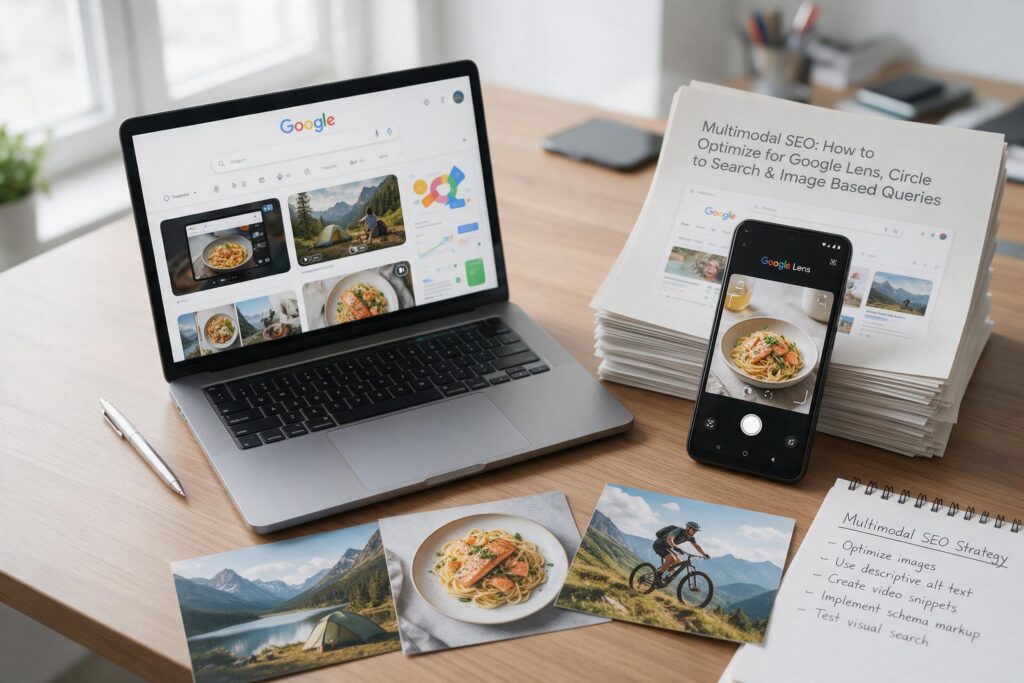
Google Lens, Circle to Search and Image Based Search
Google Lens is the oldest and broadest of the four channels, a camera based visual search tool built into Android, the Google app, Chrome, and Google Images on desktop, letting someone photograph or upload an image to identify it, find where to buy it, or ask a follow up question about it. Over the past two years Google has layered shopping specific capabilities on top of core identification: product insight cards, price comparisons across retailers, and local inventory checks when a shopper is standing in a physical store.
Image uploads to Google Search and Chrome’s “Search this image” are the more traditional reverse image search paths, someone drops an image into the search box, or right clicks an image they’re already looking at. These have existed for years, but they were never broken out from ordinary web search performance until this month.
All four now appear in the same Search Console bucket. Google says multimodal reporting appears in both Performance and Generative AI reports.
An image search can also lead to an AI Overview or AI Mode answer.It can extend beyond a traditional search results page.
How Multimodal Search Changes Search Intent

Keyword based intent modeling assumes you have a string of words to classify. Image based queries remove that string. Someone circling a lamp on a stranger’s Instagram photo isn’t typing “mid century brass floor lamp” Google has to infer that from pixels, then decide whether the person wants to identify it, buy it, or learn something about it.
That inference tends to cluster around a few recognizable intent types, based on what Google has shipped and what the industry has observed rather than any published taxonomy from Google itself:
Identification intent — “what is this” (plant, landmark, product, dish, insect)
Transactional/comparison intent — “where can I buy this” or “is this cheaper elsewhere,” heavily weighted in Lens’s shopping features
Diagnostic/how to intent — a photo of a broken part, an error screen, a plant with spots, paired with an implicit “how do I fix this”
Contextual/translation intent — text or signage in an image, or a request for background information about something visible in a video frame
The SEO challenge starts with image based queries. Traditional keyword research cannot target them because they lack a query string. You can influence how Google matches your page to visual search intent. Strong images, alt text, and relevant content provide useful signals. Shift your focus from “what will people type?” to “what will people photograph?” Then make sure your page clearly answers the implied question.
What the 2026 Search Console Changes Mean for SEO
This is the part with the most solid documentation, so it’s worth being precise about it. According to Google’s own help documentation, multimodal is defined as covering “web search results where an image was used as part of the search.” Three things about how it works matter more than the announcement itself:
The Queries dimension is switched off. You can view clicks and impressions by page, country, device, and date. Google does not show query data because image searches lack text queries.
Google also does not expose the searched image. It groups Lens, Circle to Search, image uploads, and Chrome image search under one label. You cannot see separate totals for each entry point. You can identify which pages gain multimodal visibility. However, you cannot see which image or context triggered that visibility. This limits traditional query level keyword analysis.
It’s not yet in the Search Analytics API. As of the rollout, the Search Analytics API reference doesn’t list a multimodal search type, so Bulk Data Export is the way to pull this data programmatically for now. If your reporting stack depends on the API, expect a gap until Google adds it.
The data is additive, not reallocated.Google’s Search Relations team addressed concerns about multimodal traffic and reported website clicks. Some site owners worried that Google had removed this traffic from existing web totals. Google said the data had not appeared in previous totals. Its addition therefore represents new visibility rather than fewer text based clicks.
However, independent analysts raised questions about some reported traffic drops during the same period. Google also has not confirmed when the historical multimodal data series began. If your traffic changed this month, investigate the shift before drawing conclusions. Treat Google’s explanation as reasonable, but keep reviewing your data.
How to Optimize Images for Multimodal Discovery
There’s no confirmed Google statement that any specific technique improves multimodal visibility, Google hasn’t published multimodal specific ranking guidance, and anyone telling you otherwise is inferring from general image search principles. With that caveat, the following are reasonable extensions of Google’s existing, documented image search guidance, applied to the reality that a computer vision model, not a keyword matcher, is doing the first pass:
- Photograph the actual subject clearly, without obstruction. Heavy text overlays, watermarks, or busy backgrounds make it harder for any recognition system Google’s included, to isolate what the image is actually of. This matters more for identification intent queries than it ever did for text search.
- Use multiple, distinct angles for products, not one hero shot reused across every listing. If a shopper’s photo is a three quarter angle and your indexed image is a straight on studio shot, visual matching confidence drops.
- Avoid pure stock photography for anything you want identified as yours. A generic stock image of “wireless earbuds” gives a recognition system nothing to distinguish your product from a hundred others using the same photo.
- Keep image URLs stable. CDN configurations that regenerate image URLs on every deploy make it harder for any index text or visual to build up confidence in a page to image association over time.
The Role of Alt Text, Captions, Surrounding Text and Page Context
Google’s 2026 documentation remains clear about how it uses alt text. Google combines alt text, computer vision, and page content to understand an image’s subject.
Alt text also acts as anchor text when an image links to another page. What has changed is the importance of these signals. In text search, a mediocre alt text is a minor miss the query string itself still does most of the matching work. In multimodal search, there is no query string. Alt text, captions, and the paragraph surrounding an image become the primary way a page distinguishes itself from every other visually similar page on the web competing for the same identification match.
Google’s guidance makes context just as important as literal descriptions. Alt text should provide useful, information rich details. Use keywords naturally and keep alt text relevant to the surrounding page content. Avoid keyword stuffed labels. Name the specific entity whenever possible. Include a cultivar, model number, dish name, or landmark instead of a generic category. Specific descriptions help differentiate your page when visual matches remain unclear.
Entity Optimization and Visual Context
Beyond alt text, structured data can help clarify an image’s subject. Google emphasizes structured data and clear entities across Search, but not specifically for multimodal rankings. Keep the entity name consistent across your page. This approach can reduce ambiguity for systems that combine visual recognition with page context. However, this remains an interpretation, not a documented Google ranking factor. A page gains stronger consistency when its image, alt text, copy, and structured data agree. That consistency may help Google interpret visual matches more confidently.
Google has not confirmed structured data as a specific multimodal ranking factor. Treating it as one would overstate the available evidence.
Ecommerce and Product Discovery

This is the vertical where Google has shipped the most visible product investment. Lens already surfaces product insight cards with reviews and price comparisons, and Google has separately expanded Shopping ads into Lens results, meaning organic and paid ecommerce visibility now both run through the same visual search surface. Circle to Search’s Gemini 3 powered “Find the Look” extends this further by letting a single lifestyle image return multiple purchasable items rather than one.
For retailers, the practical dependency is that these visual shopping surfaces draw heavily on Merchant Center product feed data GTIN, MPN, brand, and accurate pricing, not just on page content. A product page with strong imagery but an inconsistent or missing feed is optimizing only half the pipeline that feeds Lens’s shopping features.
Example image heavy ecommerce catalog: A home goods site with hundreds of near identical SKUs (mugs, throw pillows in different colorways) should ensure each variant has its own distinct, correctly labeled image and feed entry reusing one photo across five color variants defeats visual matching entirely, since the system has nothing to distinguish “sage green” from “forest green” at the pixel level.
Technical SEO for Image Based Search
None of the above matters if Google can’t crawl and index the images in the first place. The technical baseline is the same as it’s always been for Google Images, just with higher stakes:
- Serve images at URLs that are actually present in the rendered DOM, not injected only after user interaction that Googlebot may not trigger.
- Don’t block image paths in robots.txt.
- Submit an image sitemap for large catalogs so images with weak internal linking still get discovered.
- Keep canonical image URLs stable rather than rotating through CDN query parameters.
- Because a multimodal result still links back to a live page, standard Core Web Vitals and LCP performance still apply a fast visual match followed by a slow loading page is a poor outcome regardless of how the search started.
Common Multimodal SEO Mistakes
- Treating alt text as a compliance checkbox. Generic or missing alt text was always a missed opportunity; in a query less environment it’s a bigger one.
- Reusing stock or duplicate imagery across product variants or competitor identical listings, leaving nothing for visual matching to differentiate.
- Assuming the Google Images tab and multimodal search are the same traffic. They’re reported separately and driven by different user behavior, one starts with a typed query, the other doesn’t.
- Conflating multimodal impressions with AI Overview impressions. They come from two different Search Console reports and don’t automatically imply each other.
- Promising clients or stakeholders guaranteed Lens or Circle to Search visibility. No optimization technique, documented or inferred guarantees appearance in any specific visual search feature; Google has not published ranking criteria for multimodal results, and none of the practices above are confirmed to directly cause inclusion.
Practical 2026 Multimodal SEO Strategy
- Baseline now. Pull the Web: multimodal filter and Generative AI features report for your top pages before drawing any conclusions about trends.
- Audit image quality and context on your highest value pages first product and local pages where identification intent has the clearest commercial payoff rather than attempting a site wide image overhaul immediately.
- Fix alt text and surrounding copy to name specific entities, not generic categories, prioritizing pages where duplicate or near duplicate imagery exists elsewhere on the web.
- Confirm structured data consistency between the image’s visible subject, the alt text, and any Product/LocalBusiness/Recipe/HowTo markup on the page.
- Check your Merchant Center feed if ecommerce is in scope visual shopping surfaces depend on it as much as on-page content.
- Review both reports monthly, not as a one time audit, since Google has signaled more metrics (clicks, CTR) are still coming to the Generative AI report and the multimodal filter is new enough that its behavior may shift.
FAQ
Is “multimodal search” a new Google ranking system?
No. It’s a new reporting category for an entry point, image based queries via Lens, Circle to Search, image uploads, and Chrome’s image search that resolves into the same web results and AI features Google has always had.
Can I see what image someone used to find my page?
No. Google has confirmed the Queries dimension, and by extension the source image, isn’t available for multimodal search type filtering only page, country, device, and date data.
Does multimodal traffic replace or dilute my text-based traffic numbers?
Google has stated the multimodal data wasn’t previously counted anywhere, so its appearance shouldn’t subtract from your existing text based totals, though some analysts have flagged unresolved questions about traffic drop reports from the same period.
Is Circle to Search available outside Android?
As documented, Circle to Search is an Android feature. Google Lens, image uploads, and Chrome’s “Search this image” are available more broadly across platforms.
Does better alt text guarantee my page appears in Lens results?
No. Alt text, captions, and page context are documented signals Google uses to understand an image’s subject matter, but no combination of on page optimization is confirmed to guarantee inclusion in any specific visual search feature.
How is this different from the Generative AI performance report Google launched in June 2026?
The multimodal report tells you a search started with an image. The Generative AI report tells you whether the resulting answer was an AI Overview or AI Mode response. A search can involve both, but the reports track different things and currently show different metrics.
Should ecommerce sites prioritize multimodal optimization over other SEO work?
Only if product/visual discovery is a meaningful part of your funnel already. It’s an addition to core image and structured data hygiene, not a replacement for it.
Will the Queries dimension ever be added to multimodal reporting?
Google hasn’t said. Given that the company has cited not exposing the source image as a stated design choice, it’s plausible query level data stays limited going forward, but this is speculation, not confirmed roadmap.
Conclusion
Google didn’t announce a new way to rank images, it announced a new way to see traffic that was always happening but was previously invisible in your own data. That’s worth taking seriously precisely because it’s modest, there’s no dramatic new algorithm to reverse-engineer, just a clearer window into an entry point that’s been growing quietly for years.
The actionable takeaways are narrower than most “visual search is the future” content implies: pull your new multimodal baseline this week, audit alt text and surrounding context on the pages where identification or comparison intent has real commercial value, make sure structured data and image quality actually agree with each other, and treat every optimization here as a reasonable bet based on Google’s general image search guidance, not a guaranteed lever, because Google hasn’t published one. The reporting is one month old. Best practice for this specific channel is still being formed in public, and the honest position for anyone advising clients is to keep watching the data rather than declaring victory on theory.
We updated this article on September 28, 2026.